Deadlines and reminders
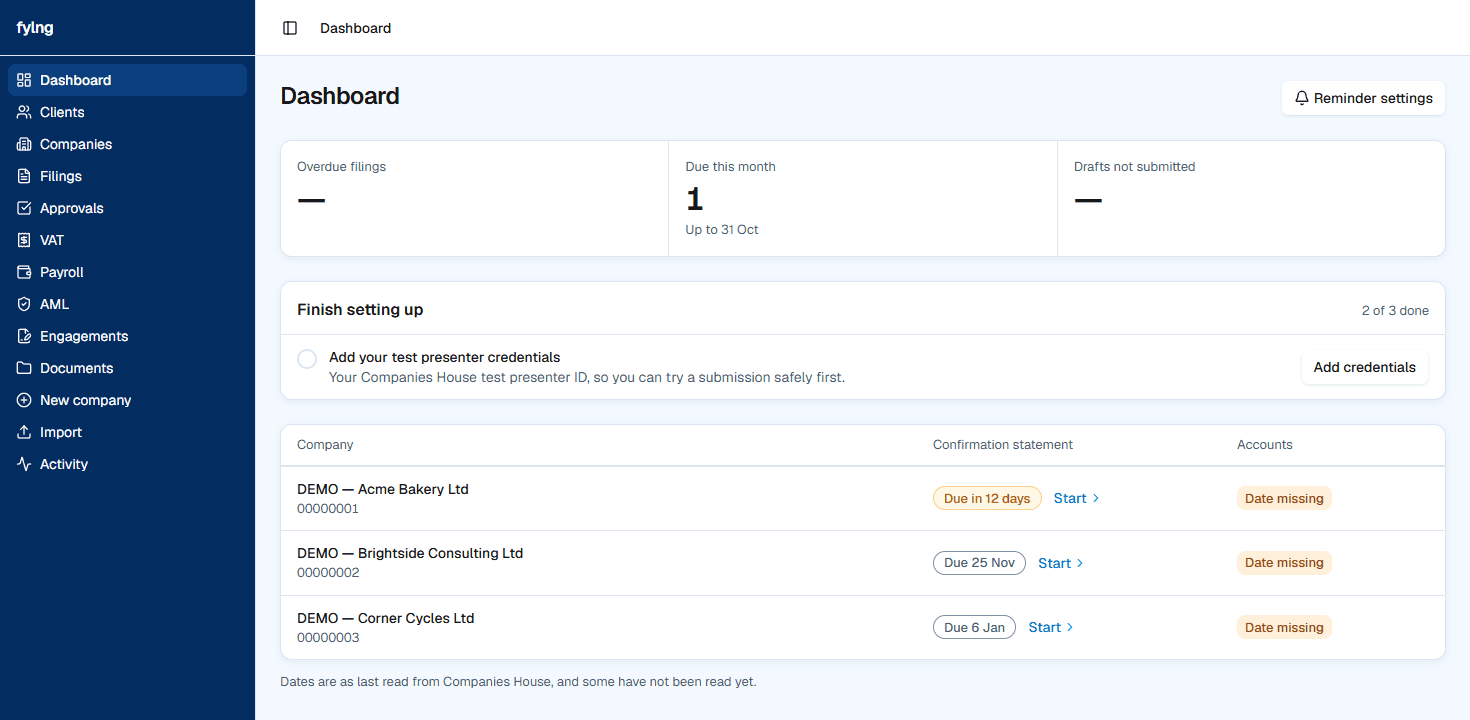
Add your clients by company number and Fyling fills in each company's confirmation statement and accounts due dates from Companies House. The dashboard puts the nearest deadline first, reminders go out on the days you choose, and a calendar feed puts every date in your own calendar.
What it does for your practice
- All clients in one list, nearest deadline first, overdue items marked.
- Due dates come from Companies House and refresh daily, so there is no spreadsheet to keep.
- Reminder emails on the days before a deadline that your practice chooses, to the people you choose.
- A calendar view and a private feed for Outlook, Google or Apple Calendar.
- Company watch shows filings at Companies House that your practice did not make.
How it works
- 1
Add client companies by number, or paste a whole list of numbers.
- 2
Fyling fills in each company's details and due dates from Companies House.
- 3
Choose the reminder days and who receives them in Settings.
- 4
Work from the dashboard, nearest deadline first.
Who it is for
Every practice that tracks Companies House deadlines for a portfolio of client companies.
Your practice stays the filer. Fyling is the software your team uses to prepare, check and send the work.
Questions
Which deadlines are shown?
Each company's next confirmation statement and accounts dates, from Companies House.
Can I add many clients at once?
Yes. Paste a list of company numbers and they are all added, or import a file from your current software.
Do I need credentials to track deadlines?
No. Deadline tracking uses public Companies House data.
Works with
Confirmation statements
Each client's CS01 prepared from its Companies House record and reviewed before it goes.
Statutory accounts
Micro-entity, small and dormant accounts from the trial balance.
Client approvals
Client sign-off on each filing, tied to the exact figures they saw.
Practice invoicing
Invoices, monthly fees, statements and payment reminders for your own clients.
Step by step: The UK company compliance calendar · Everything Fyling does